Track both documented and manual expenses
Use the camera or Photos when a receipt exists. For cash, a missing document or an expense that does not need scanning, add the merchant, date, amount, VAT and category manually. A manual record helps you remember the payment, but it does not replace evidence that may be required.
A weekly expense routine that stays manageable
- Add expenses as they happen
Short, regular capture reduces forgotten purchases and missing context.
- Review recognition results
Check totals, dates, VAT and merchant names before relying on the data.
- Look at the category breakdown
Use the overview to notice where recorded spending is concentrated.
- Close the period
Review the selected month and export only the dates requested by your accountant.
What an expense tracker does — and does not do
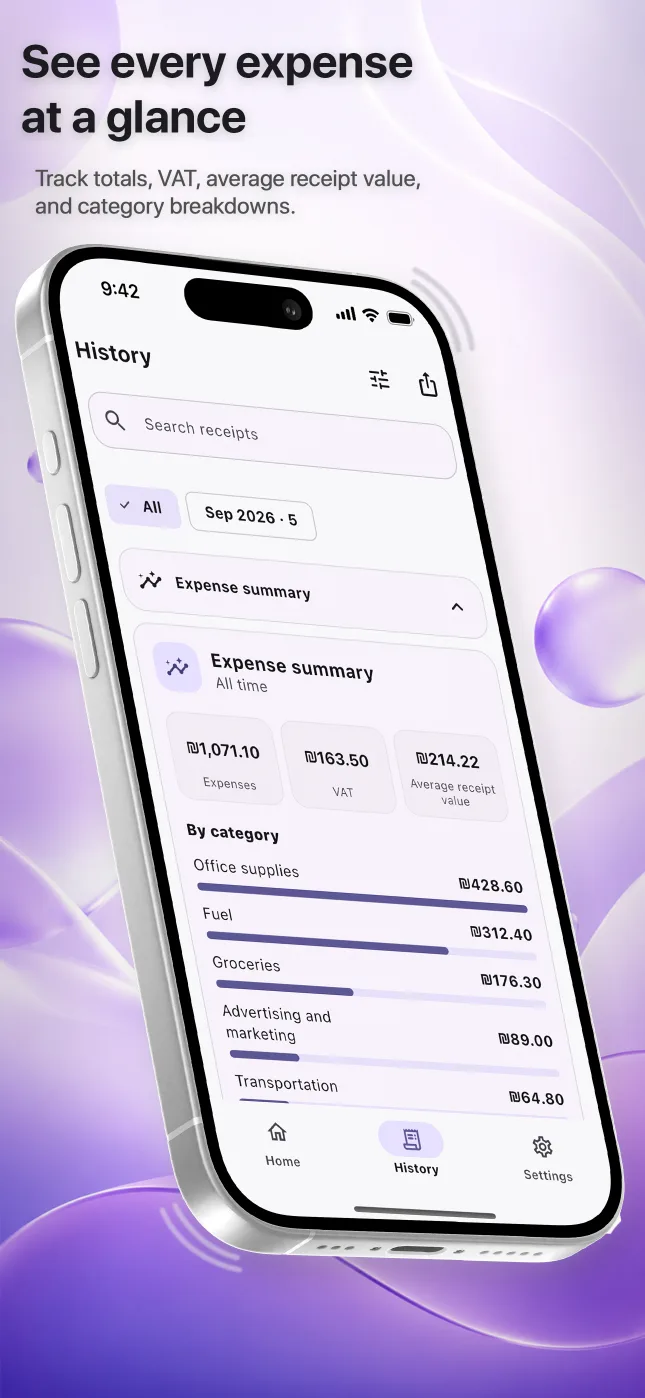
Reece organizes records and shows summaries such as total expenses, VAT, average receipt value and category distribution. It does not connect to a bank, prepare a tax return or decide whether a purchase is deductible. Those decisions remain with the user and the appropriate professional.
Questions people ask
Is there an iPhone app for tracking business expenses?
Yes. Reece records scanned and manual expenses, keeps a searchable history and exports selected periods on iPhone.
Can I record an expense without a receipt?
Yes, manual entry is available. It records the expense but does not create or replace supporting evidence.
Can I use Reece for personal expenses too?
Yes. Reece can organize personal, freelance or small-business expenses; you decide which records belong in your workflow.