A repeatable receipt workflow
- Capture the receipt
Photograph it in Reece or choose one or several images from Photos. Long receipts can be kept as several pages.
- Review the recognized fields
Check the merchant, date, total, VAT, currency and category. Correct anything that is unclear before saving.
- Keep the source attached
The original image stays linked to the expense so the record can be checked later.
- Export the requested period
Choose a month or custom date range and prepare a PDF or spreadsheet package instead of sending separate chat messages.
What an accountant-ready export can contain
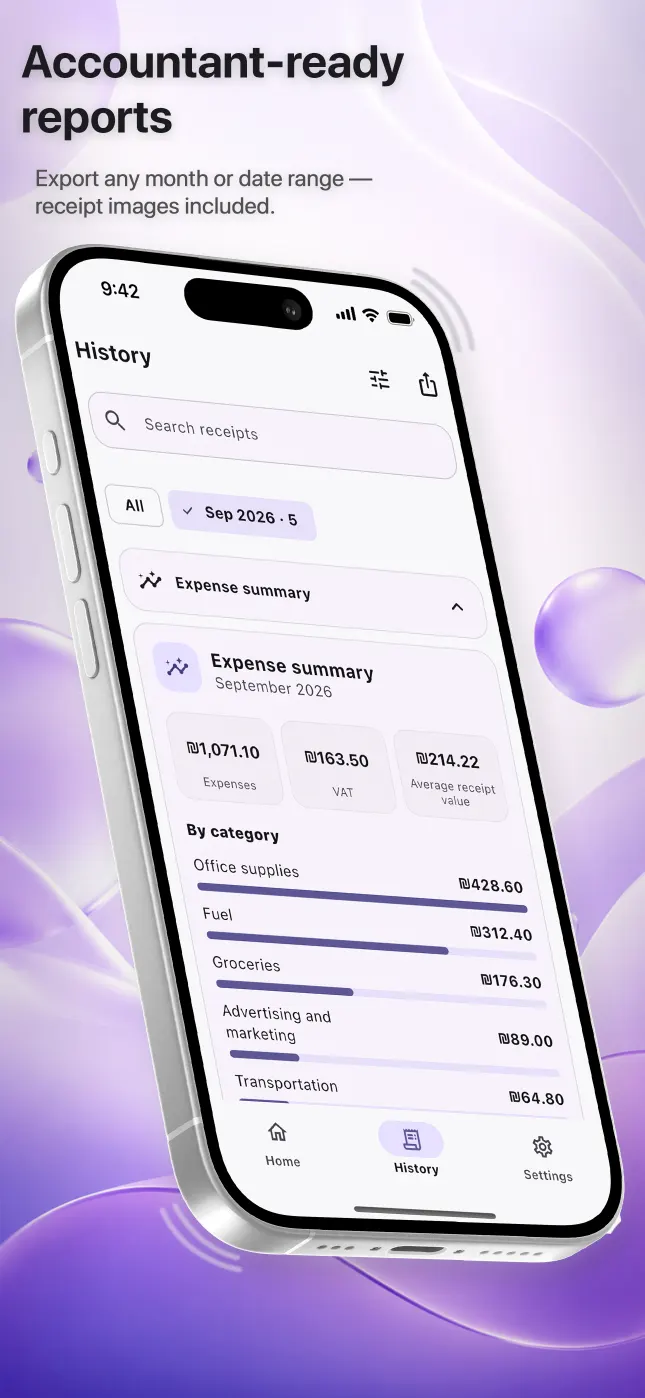
Reece can prepare PDF and Excel reports for the selected period and include the original receipt images. An optional business name can appear in the report. CSV is also available in the full export for workflows that need a plain data table.
- A readable summary for review
- Structured rows for sorting or further work
- Original receipt images for verification
- A defined month or custom date range
A routine that reduces end-of-month work
Capture documents throughout the month rather than relying on a final search through the camera roll, email and messaging apps. Use consistent categories, check uncertain fields immediately and agree with your accountant which originals and formats they require. Reece organizes the package; your accountant still decides how an expense should be treated.
Questions people ask
Does Reece replace an accountant?
No. Reece helps organize and export records, but it does not decide whether an expense is deductible or provide accounting or tax advice.
Can I add an expense without a paper receipt?
Yes. Manual entry is available for cash or receipt-free expenses. Keep any evidence required for your records separately.
Do I need an account?
You can start in guest mode. An account is needed for cloud synchronization and recovery across devices.